

Skip to content
Welcome
  • Home
  • about the author
The OpsCorner
The OpsCorner
  • Home
  • about the author

The OpsCorner

A documentation repository of loosely related topics

  • Home
  • about the author
Software / Technology

Running Ad-hoc Commands in Ansible Tower

- October 11, 2019 | March 20, 2020 - Bryan McClellan

This should be short but I have trouble finding this every time I look for it. So I am writing about it here because it took me forever to find it in the first place.

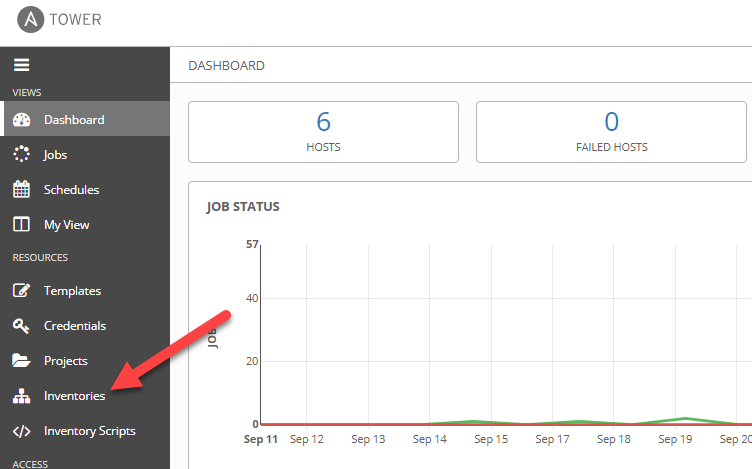
From Dashboard go to Inventories – Or just go to Inventories
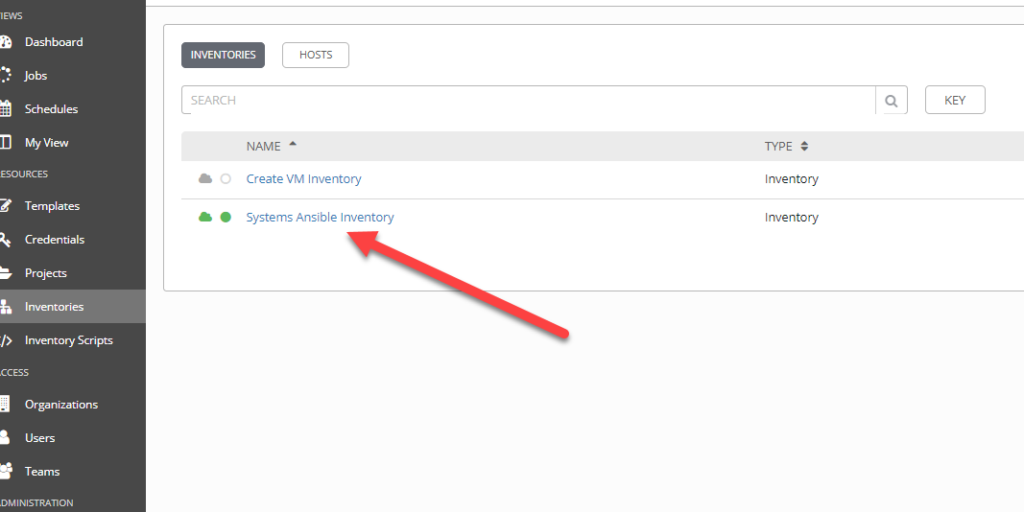
Click on the Inventory to target for host list
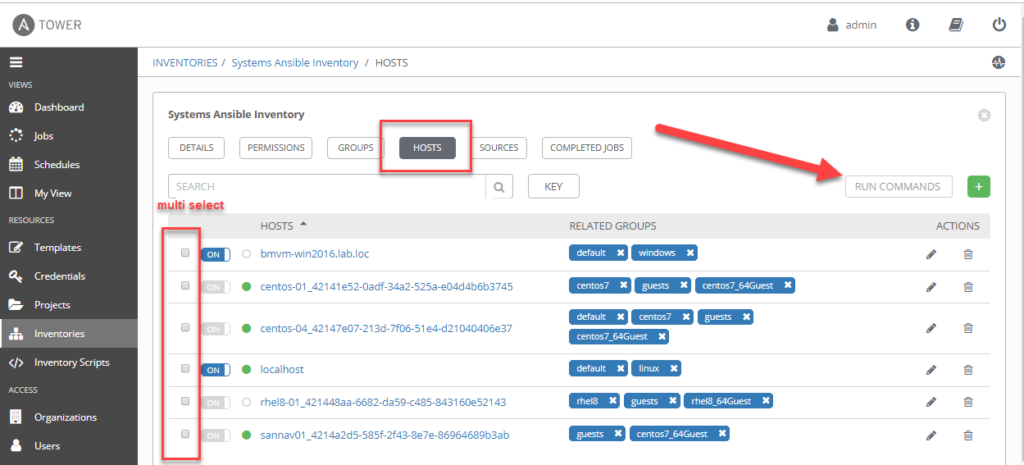
Hosts and there you are..
Also I found this under Settings -> Jobs
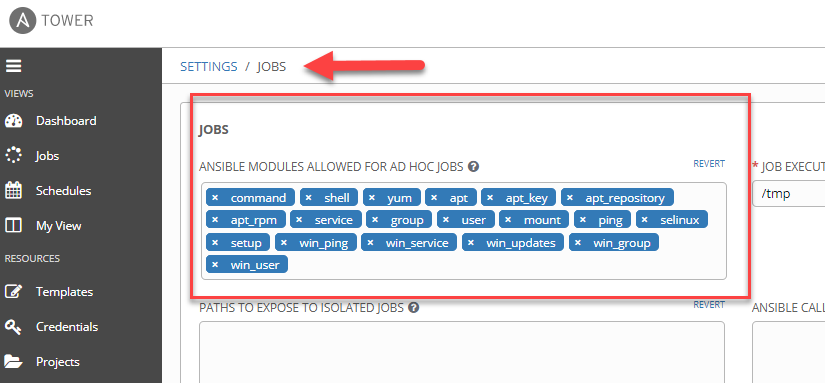
This may need to be adjusted if you want to run modules that are not listed.

And that's it.

Post navigation

Ansible Tower with Active Directory Integration
Ansible Playbook Basics

Recent Posts

  • Dell OpenManage Enterprise API PowerShell Scripts September 18, 2020
  • Ansible Workshop from Anywhere August 31, 2020
  • VMware Webinar Series July 27, 2020
  • Using the default VMware-Privileged PodSecurityPolicies on TKG June 30, 2020
  • VM Template Updater with Ansible April 24, 2020

Tags

Active Directory Ansible Automation azure-devops Brocade Dell Device42 Fiber Channel Free Code Kelverion Kubernetes NSX NSX VMware powershell Python SANnav Scripts servicenow source-control Tanzu TKG Tower Vagrant VMware vRo VSCode vsphere

Site Pages

  • about the author
© 2026 The OpsCorner | Built with Xblog Plus free WordPress theme by wpthemespace.com